

Network Engineering Basics – Part 3
After learning what a network is and how devices like modems, routers, and switches work together, the next critical concept is IP addressing. Although IP addresses and subnets may seem confusing at first, they become much easier once you see how they work visually.
In this guide, you’ll learn what IP addresses are, why subnets exist, and how routers use them, using clear explanations and simple diagrams.
What Is an IP Address?
An IP address (Internet Protocol address) is a unique identifier assigned to every device on a network. In many ways, it works just like a mailing address for your computer or phone.
In simple terms, an IP address:
- Identifies a device on a network
- Allows data to reach the correct destination
- Enables devices to communicate reliably
Without IP addresses, networks would not function.
What an IP Address Does
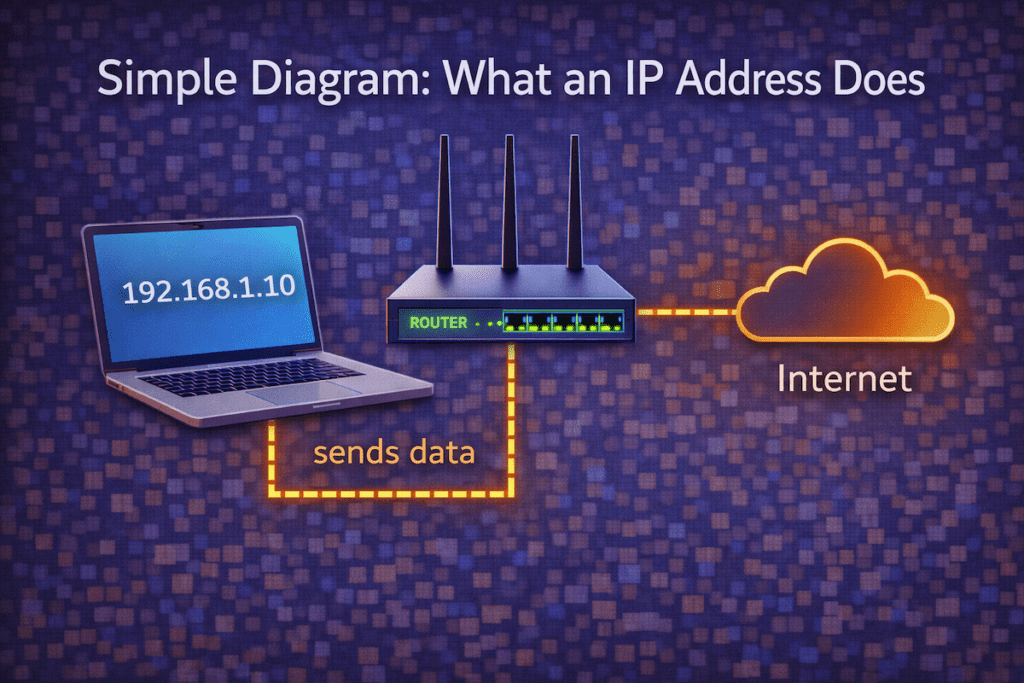
[ Laptop ]
IP: 192.168.1.10
|
| sends data
v
[ Router ]
|
v
[ Internet ]
Key takeaway:
An IP address tells the network where a device lives.
Why IP Addresses Are Necessary
Now that you know what an IP address is, it’s important to understand why networks need them. Without addresses, data would have nowhere to go.
Because of this:
- Every device must have a unique IP address
- Routers rely on IPs to deliver traffic
- Networks stay organized and predictable
As a result, IP addressing is foundational to networking.
Public vs Private IP Addresses
Not all IP addresses are visible on the internet. In fact, IPs fall into two major categories.
Public IP Addresses
A public IP address is assigned by your Internet Service Provider (ISP). It represents your entire network on the internet.
Private IP Addresses
A private IP address is used inside your local network, such as your home or office.
Common private ranges include:
- 192.168.0.0 – 192.168.255.255
- 10.0.0.0 – 10.255.255.255
- 172.16.0.0 – 172.31.255.255
Public vs Private IPs
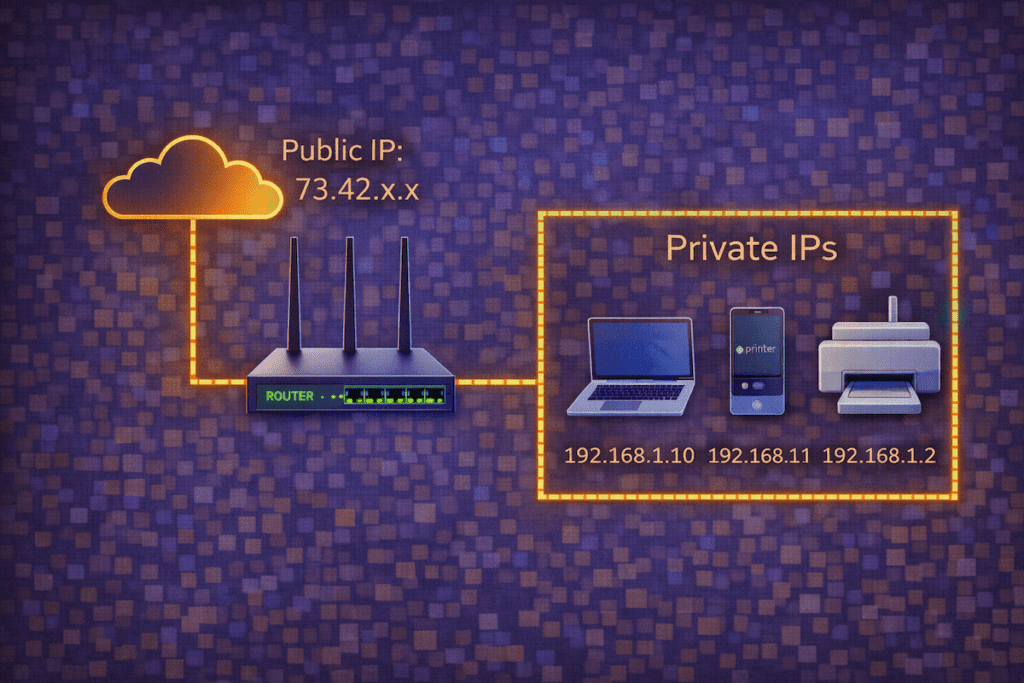
Internet
|
Public IP: 73.42.x.x
|
[ Router ]
|
———————–
| | |
192.168.1.10 192.168.1.11
Laptop Phone
Key takeaway:
Private IPs stay inside the network, while the public IP faces the internet.
What Is a Subnet?
A subnet is a smaller network created within a larger network. Instead of placing all devices in one massive group, subnets organize devices into logical sections.
As networks grow, subnets become essential.
Why Subnets Exist
Subnets exist for several important reasons:
- To reduce network congestion
- To improve performance
- To increase security
- To make networks easier to manage
Even small networks benefit from subnetting.
What a Subnet Looks Like
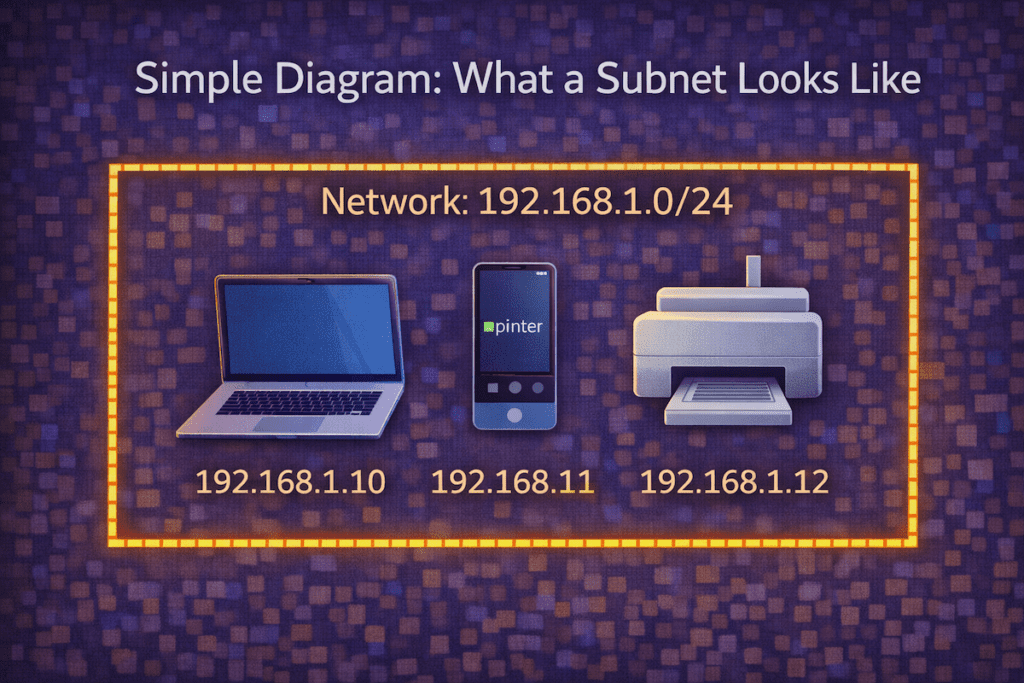
Network: 192.168.1.0/24
——————————–
| 192.168.1.10 Laptop |
| 192.168.1.11 Phone |
| 192.168.1.12 Printer |
——————————–
Key takeaway:
A subnet defines which devices belong to the same local group.
Understanding Subnet Masks (The Easy Way)
A subnet mask tells devices which part of an IP address identifies the network and which part identifies the device.
A very common subnet mask is:
255.255.255.0Subnet Mask Explained
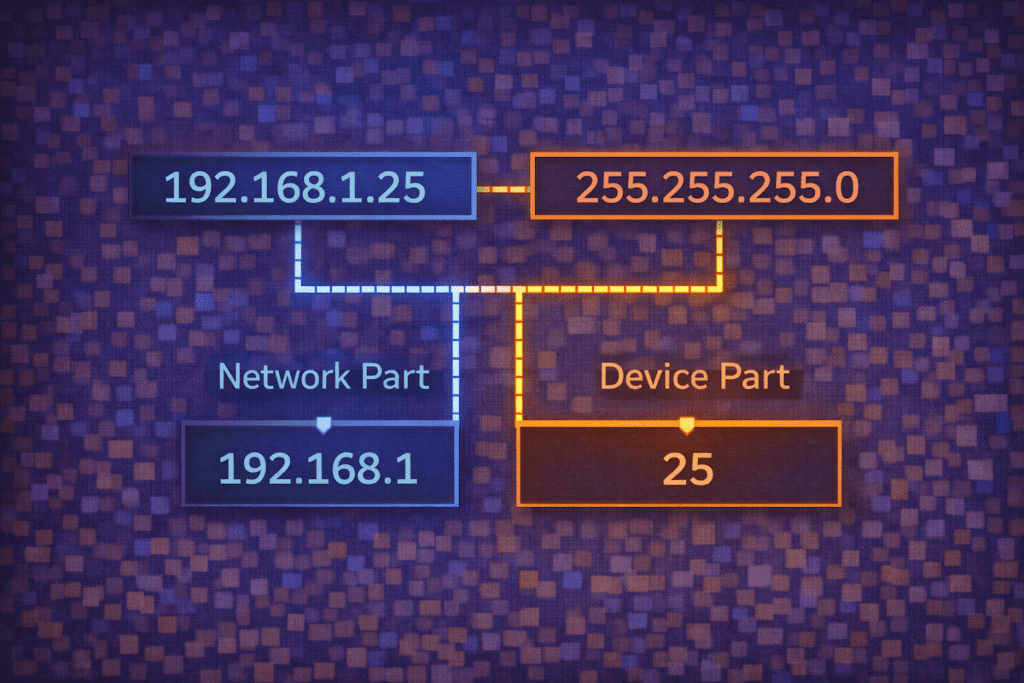
IP Address: 192.168.1.25
Subnet Mask: 255.255.255.0
——————————–
Network Part | Device Part
192.168.1 | 25
Key takeaway:
The subnet mask defines what is local and what is not.
CIDR Notation (Made Simple)
You may also see subnetting written in CIDR notation, such as:
192.168.1.0/24Although it looks complex, /24 simply means:
- The first 24 bits identify the network
- The remaining bits identify devices
CIDR Without the Fear
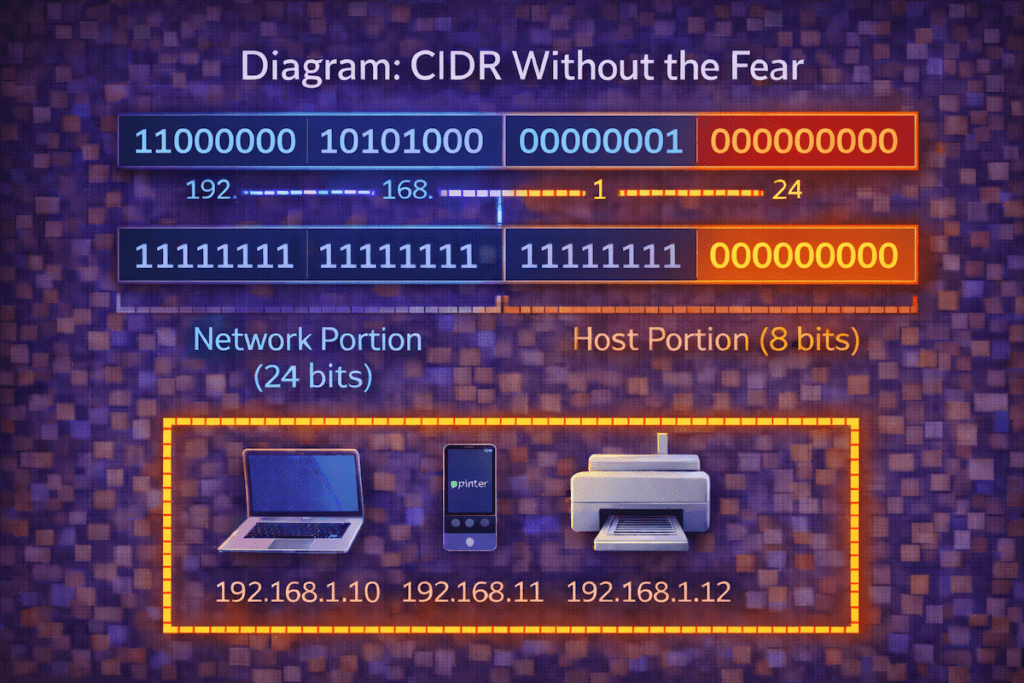
192.168.1.0/24
/24 = Network portion
Remaining = Device addresses
Binary:
11000000 . 10101000 . 00000001 . 00000000
^^^^^^^^ ^^^^^^^^ ^^^^^^^^ ^^^^^^^^
network network network host
(blue) (blue) (blue) (orange)
How Routers Use IP Addresses and Subnets
Routers constantly examine IP addresses and subnet information to decide where traffic should go.
Specifically, routers:
- Keep traffic local when possible
- Send traffic to the internet when needed
- Route traffic between subnets
Router Decision Process
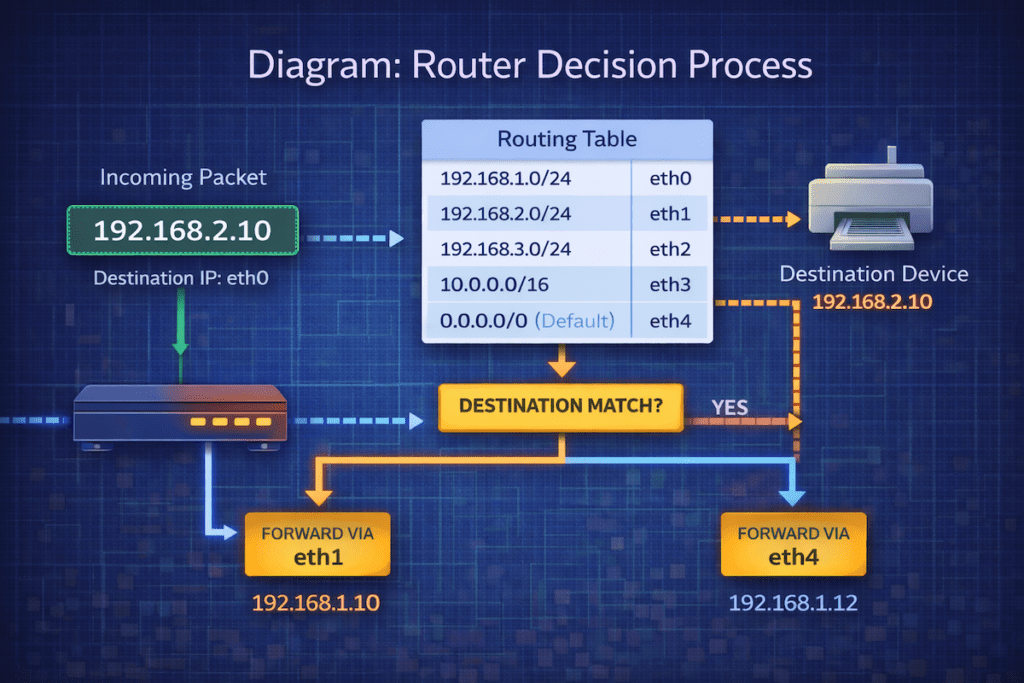
[ Laptop ]
192.168.1.10
|
| Same subnet?
|
[ Router ]
| |
Local Internet
Key takeaway:
If the destination is outside the subnet, the router forwards the traffic.
Common Beginner Mistakes
When starting out, many beginners:
- Confuse public and private IPs
- Think IP addresses never change
- Assume subnetting is only for large networks
However, understanding these concepts early prevents confusion later.
Why This Matters for Network Engineers
IP addressing and subnetting affect:
- Network performance
- Security design
- Troubleshooting
- Scalability
Therefore, mastering these basics makes advanced networking topics far easier to understand.
What’s Next in the Series
Now that you understand IP addresses and subnets, it’s time to zoom out and see how networks connect.
Final Thoughts
Although IP addresses and subnets can look technical at first, they are simply tools that help networks stay organized and efficient. With the help of diagrams and real-world examples, these concepts quickly become approachable.
Welcome back to Network Engineering Basics on Relay Rack 1.